Operations
Shop Floor Production Management
Visualize your full production pipeline from order intake to final delivery. Configurable stages, machine queue integration, crew assignment, and real-time job visibility - built for custom shops.
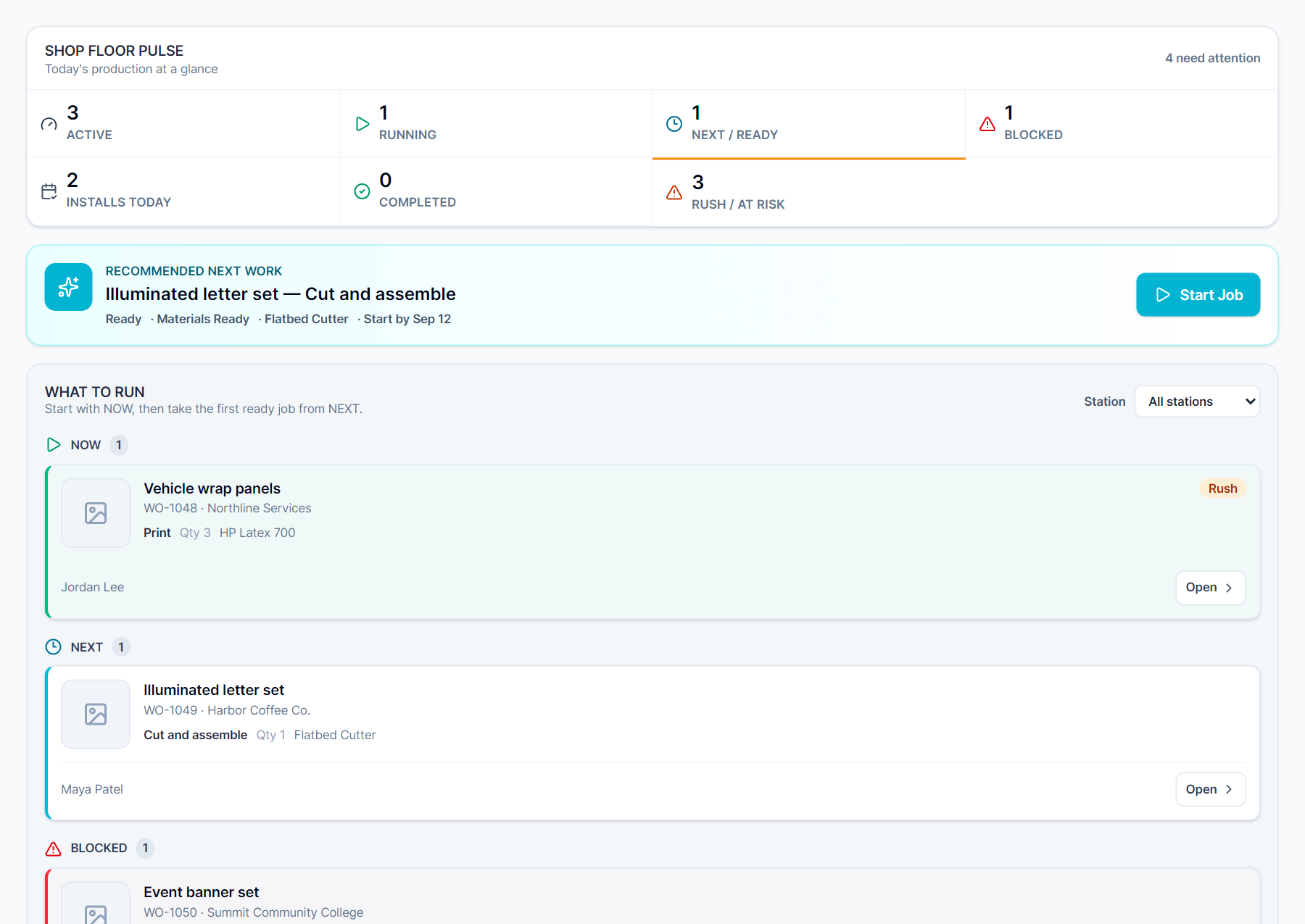
Visualize your full production pipeline from order intake to final delivery. Configurable stages, machine queue integration, crew assignment, and real-time job visibility - built for custom shops.
Whether you run a sign shop, screen printing operation, or custom fabrication house, Meet SIGNEXA's Shop Floor module gives you complete visual control over your production pipeline. Define your own workflow stages, assign Work Orders to machines and operators, configure production routing templates for repeatable order types, and catch bottlenecks before they miss a deadline. Connected to Machine Queue, Work Orders, Timesheets, and Installations - no silos.
Define your own production stages - Intake, Artwork, Proof Pending, Printing, Finishing, Ready to Ship - and configure routing templates for different job types.
Assign specific equipment and crew members to each production step. Machine Queue handles per-equipment depth; Shop Floor shows the full job flow.
Priority-flagged jobs pin visually to the top of the board. Due date warnings fire automatically so your floor always knows what to pull next.
When a client approves an estimate, Meet SIGNEXA creates a production Work Order and drops it into your Shop Floor queue automatically. As the order progresses, stage changes cascade to the client portal, the help desk, and the Command Center. When the work ships, the invoice is generated. Labor from timesheets writes to job cost. Material usage from the bill of materials posts to inventory. The whole loop closes without anyone copying data between tools.
Define production presets for your most common order types - banner runs, vehicle wraps, electrical signs, screen-print runs. Each preset specifies the sequence of stations, time estimates per step, and which machines are required. When a matching Work Order is created, the routing applies automatically - every step queued to the right machine in the Machine Queue, assigned to the right operator, with estimated completion time calculated from your historical data.
Everything you need to know about Shop Floor Production Management.
Explore the connected workflow, compare plans, and decide whether Meet SIGNEXA fits your shop. No credit card required.
Follow the connected workflow into the parts of Meet Signexa that support this capability.
