
Invoice Management Software
Send professional invoices, track payment status, and automate overdue reminders - all from your Meet SIGNEXA workspace.
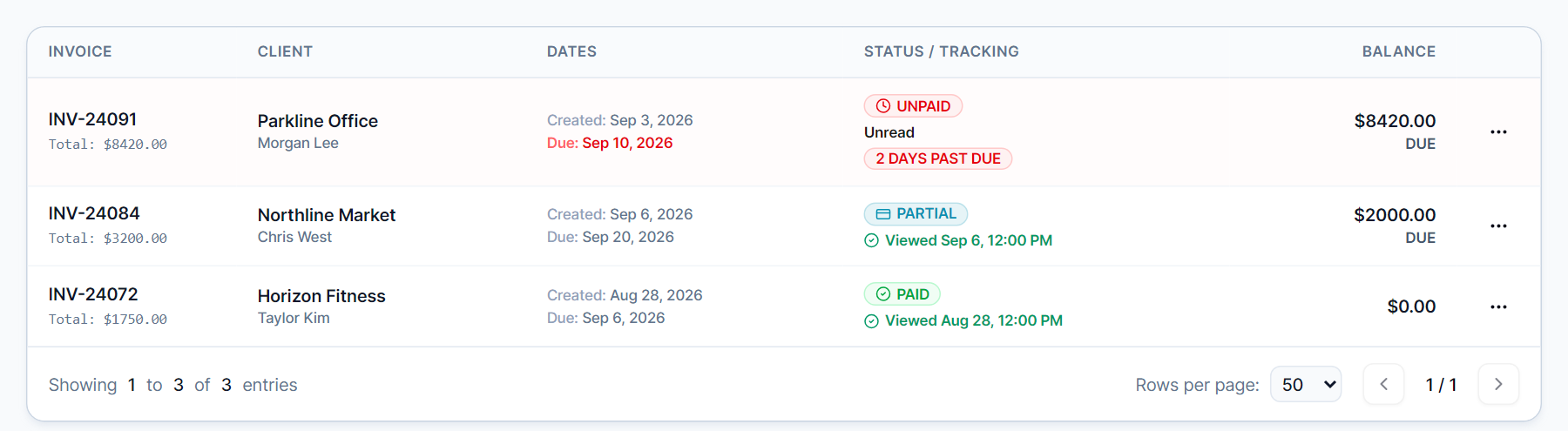
Get Paid Faster with Smart Invoicing
Chasing unpaid invoices is one of the highest-friction tasks in running a business. Meet SIGNEXA's invoicing module automates the entire post-sale collection cycle - from invoice generation to payment reminders to receipt confirmation - so revenue lands in your account faster, without awkward follow-up calls.
Professional Branded Invoices
Auto-generated invoices carry your branding, custom terms, and itemized line items from accepted quotes.
Automated Payment Reminders
Configure multi-step reminder sequences that fire 3, 7, and 14 days after a due date automatically.
Real-Time Payment Tracking
See at a glance what's paid, outstanding, overdue, or in dispute across all your clients.
Close the Quote-to-Cash Loop
When an approved quote becomes an invoice, the related quantities, pricing, tax rates, and client details remain connected. Send the invoice and payment link from the same customer workflow, then keep payment activity with the commercial record.
Accounts Receivable Intelligence
Your AR summary dashboard shows aging receivables by client and by job. Filter by overdue tier - 30/60/90 days - and bulk-send payment reminders or escalate to collections status. Every paid invoice posts to your expense ledger automatically via the Finance module.
Frequently Asked Questions
Everything you need to know about Invoice Management Software.
Can I set up recurring invoices for repeat clients?
Does the invoice module integrate with QuickBooks or Xero?
Can clients pay their invoice online?
How do automated payment reminders work?
Can I apply a deposit or partial payment to an invoice?
What is A/R Aging and how does Meet SIGNEXA show it?
Ready to Transform Your Workflow?
Explore the connected workflow, compare plans, and decide whether Meet SIGNEXA fits your shop. No credit card required.