
Digital Work Orders
Replace paper forms with digital Work Orders that carry all specs, proofs, and approvals through every production stage.
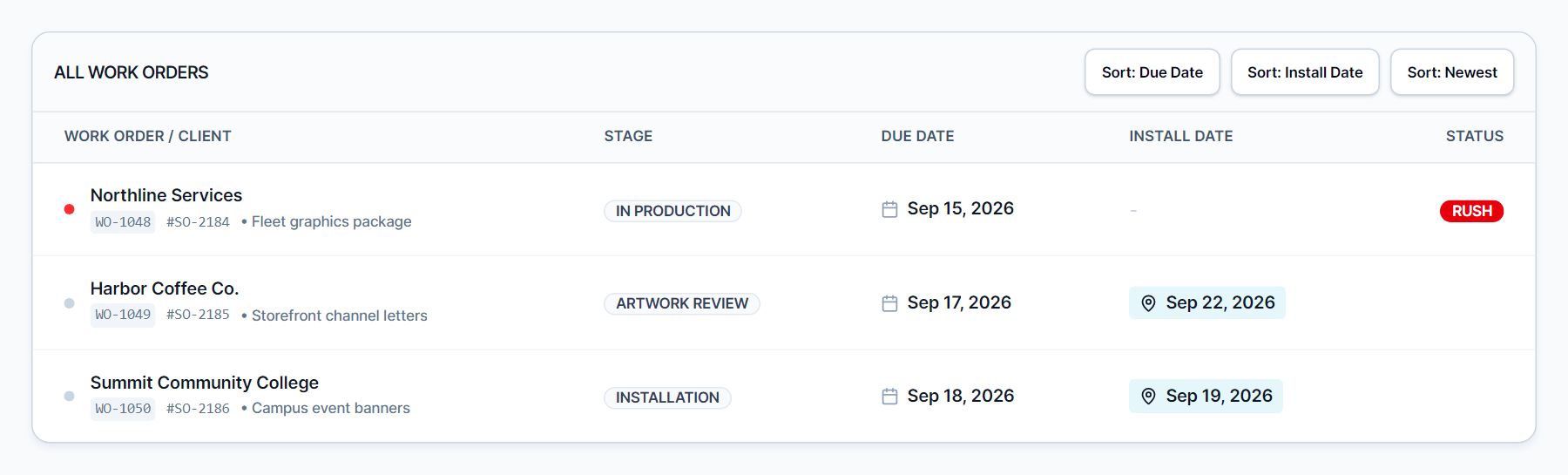
Every Order. Every Spec. One Place.
Paper work orders get lost, smudged, and outdated the moment the client calls with a change. Meet SIGNEXA's digital Work Orders travel through your production stages carrying the full specification, approved proofs, client notes, and deadline data - no information loss, no reprints.
Proof Attachment & Approval
Attach approved design files and client sign-offs directly to the Work Order for zero-ambiguity production.
Real-Time Status Updates
Status changes cascade to the client portal, help desk, and command center simultaneously.
Complete Specification History
Material, size, quantity, turnaround, and any revision notes are logged and versioned on every ticket.
From Quote to Production in One Click
When a client approves an estimate, Meet SIGNEXA converts it to a production-ready Work Order instantly. Every line item - sizes, materials, quantities, special finishes - maps directly into the order specification. No manual re-entry. No transcription errors. The data that won the deal drives the production run.
Barcode & QR Code Integration
Print a QR code directly from any Work Order. Scan it on the production floor to pull up complete specs on any mobile device. Floor operators stay informed without hunting through paper stacks or desktop portals. Clock in time against the order directly from the scan screen.
Frequently Asked Questions
Everything you need to know about Digital Work Orders.
Can clients see their Work Order status in real time?
How do Work Orders handle design revisions?
Can I attach design files and proofs to a Work Order?
How is a Work Order created from an estimate?
Can I print a physical copy of a digital Work Order?
What happens when a Work Order is marked complete?
Ready to Transform Your Workflow?
Explore the connected workflow, compare plans, and decide whether Meet SIGNEXA fits your shop. No credit card required.