
Unified Omni-Channel Help Desk
Resolve customer issues faster with a unified team inbox. Streamline support, improve satisfaction, and lower resolution times.
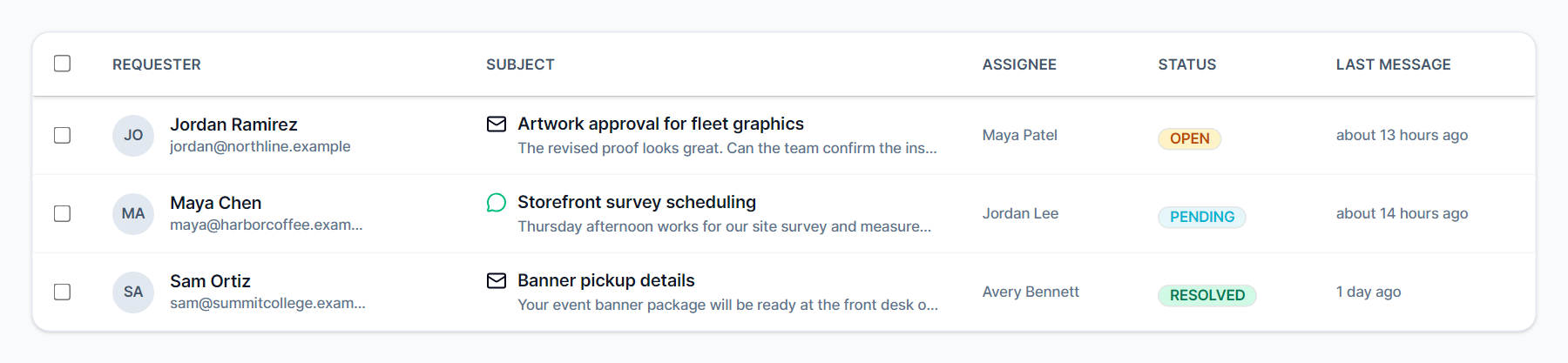
Deliver World-Class Customer Support
Turn support from a cost center into a customer retention engine. Meet SIGNEXA's Help Desk brings emails, chat messages, and web tickets into a single, collaborative inbox. Never drop a customer request again. Empower your team with collision detection, canned responses, and macro automation.
Centralized Ticketing System
Consolidate multiple support channels into one chronological conversation thread per client.
SLA Tracking & Routing
Automatically enforce Service Level Agreements and route complex tickets to specialized agents.
Knowledge Base & Canned Replies
Respond to frequent queries instantly by inserting pre-approved macros and articles with single keystrokes.
Collaborative Shared Inbox
Prevent embarrassing duplicate replies. Agent collision detection shows exactly who is viewing or replying to a ticket in real-time. Use @mentions and internal private notes to collaborate with engineers or account managers seamlessly behind the curtain before replying to the customer.
Actionable Support Metrics
Measure the metrics that actually matter. Track Time to First Response, resolution rates, and CSAT scores. Identify which products or services generate the most support drag, allowing you to proactively improve documentation and reduce your ticket volume.
Frequently Asked Questions
Everything you need to know about Unified Omni-Channel Help Desk.
What channels does the Help Desk support?
Is it easy to migrate from Zendesk or Intercom?
How does the Help Desk connect to CRM contacts and Work Orders?
What is SLA tracking and does Meet SIGNEXA support it?
Can multiple support agents work in the same inbox without duplicating replies?
What canned responses and macros are available?
Ready to Transform Your Workflow?
Explore the connected workflow, compare plans, and decide whether Meet SIGNEXA fits your shop. No credit card required.