Meet SIGNEXA
Creative Tools

Digital Proofing & Design Mockups

Deliver stunning design proofs to clients fast. Automate the approval workflow and eliminate back-and-forth revision chaos.

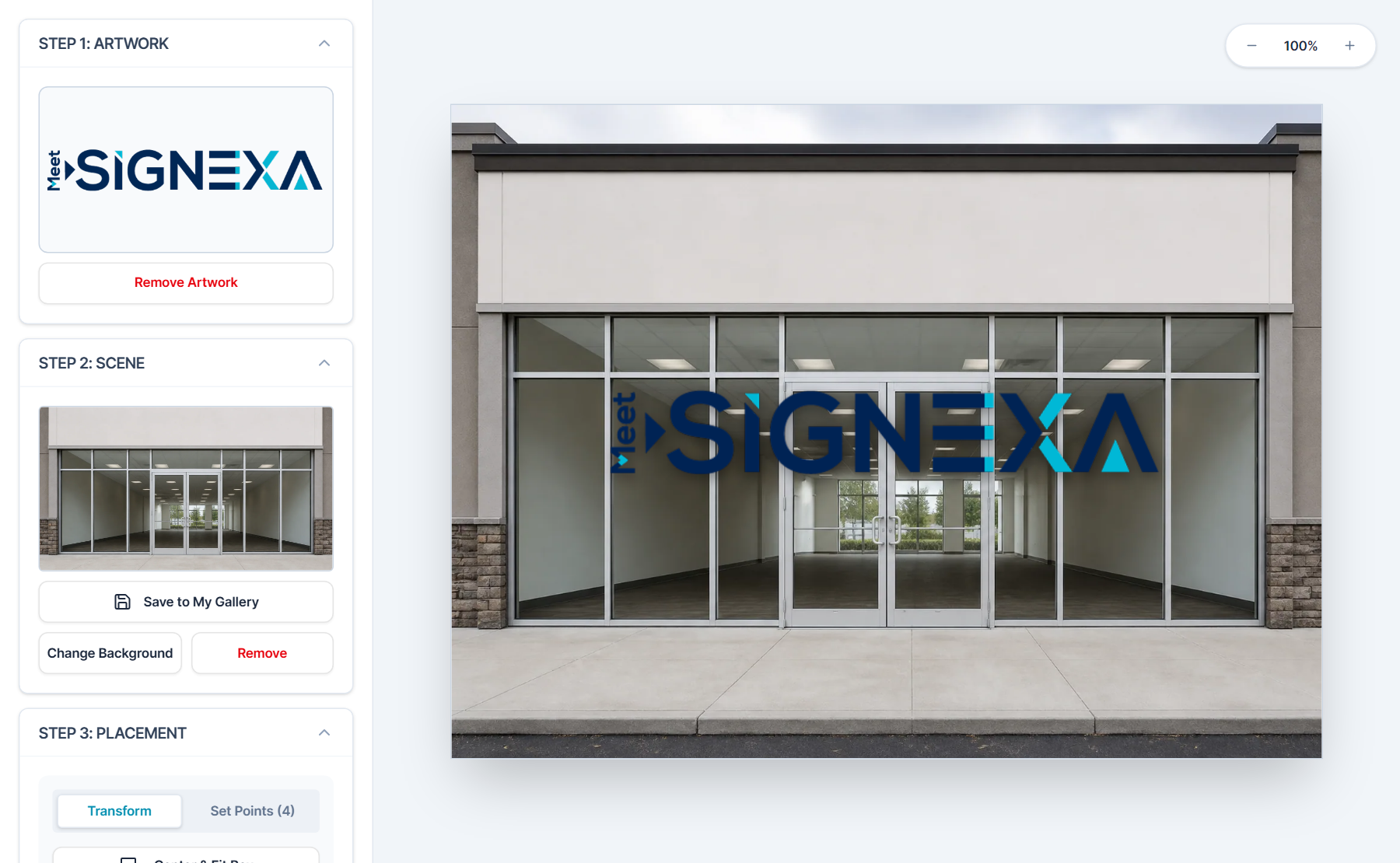
Digital Proofing & Design Mockups — Meet SIGNEXA platform interface

Proof Faster. Approve Faster. Produce Faster.

The proofing stage kills more shop throughput than any other bottleneck. Meet SIGNEXA's Mockups module streamlines the entire proof workflow — from AI-generated design concepts to client-facing review portals to binding approvals that auto-convert into job tickets. Cut your proof-to-production time in half.

AI-Generated Mockup Drafts

Generate initial design concepts from a text prompt or uploaded artwork. Impress clients before a designer touches the file.

Branded Client Proof Portal

Clients view, comment on, and approve proofs through a clean, branded portal — no file email chains.

Approval to Job Ticket Pipeline

An approved proof instantly creates a production-ready job ticket, eliminating all manual handoffs.

Generate Concepts in Seconds

Use our integrated AI Design Engine to produce initial visual concepts from a brief description — substrate, size, branding elements, and intended use. Clients receive a preview that sets expectations before your design team opens the file. Reduce revision cycles by aligning on vision at the start, not the finish.

AI design mockup generation for sign shops and print businesses

Streamlined Revision Tracking

Every revision request is logged against the proof with a timestamp and exact client notes. Version history is maintained so you can always compare the final approved version against the original brief. Disputes resolve in seconds because the entire trail is documented and immutable.

Design proof revision tracking and client approval workflow

Frequently Asked Questions

Everything you need to know about Digital Proofing & Design Mockups.

Can I upload existing design files for client approval?
Yes. Upload PNG, JPEG, PDF, or AI files directly to the proof portal. Files are presented at full resolution for the client to review without requiring them to install any software or have a Meet SIGNEXA login. The portal works on any device.
How do clients request changes on a proof?
Clients leave markup comments directly on the proof canvas by clicking the area that needs to change — pinning specific feedback to specific locations on the design. They can also type detailed revision notes in a text field. All feedback is logged permanently to the proof record with a timestamp.
What happens after the client approves a proof?
Client approval triggers automatic job ticket creation in the production queue. The approved file is attached to the ticket, the spec is locked, and the floor team is notified to begin production. The approved version is permanently stored against the CRM contact for dispute resolution.
How does the mockup module connect to job tickets and production?
The proof approval is the bridge between design and production. When a client approves a proof, Meet SIGNEXA creates a production job ticket automatically — carrying the approved file, client name, specs, and deadline. No manual handoff. No "did you send it to the floor?" questions. The job then routes through Shop Floor to the right machine queue.
Can I send a proof to a client who doesn't have a Meet SIGNEXA account?
Yes. Proof review links are public, secure, shareable URLs. Your client does not need an account, a login, or any software installed. They click the link, review the design, leave feedback or approve, and the response is logged to your proof record instantly.
How long are proof files and approval records stored?
Proof files and full approval history are stored for the lifetime of your account. You can pull the approved version of any job from any date in the past to resolve a dispute, match a previous production run, or reference for a reorder.

Ready to Transform Your Workflow?

Join thousands of shops scaling their operations with Meet SIGNEXA. No credit card required.