
Core Accounting Suite - Built In
Double-entry bookkeeping, P&L, balance sheet, cash flow, vendor payables, manual bank reconciliation, and 20+ financial reports - inside your Meet SIGNEXA workspace. Connect QuickBooks Online, Xero, Sage, Zoho Books, and FreshBooks after your workspace completes provider authorization and mapping review.
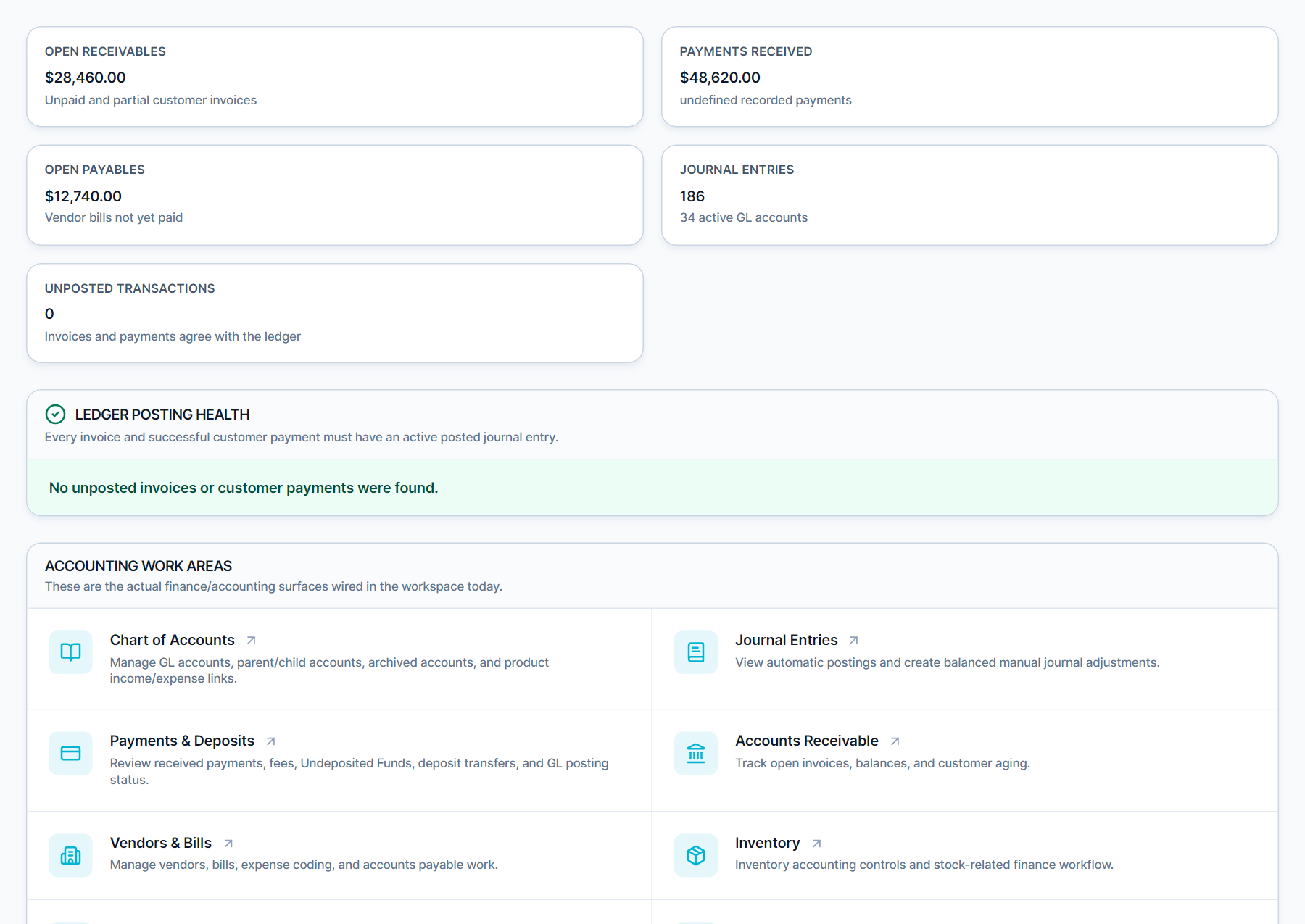
Core Bookkeeping Built In. Connect Your Accounting Platform.
QuickBooks costs $80-$235/month and still doesn't know your production jobs. Meet SIGNEXA's native accounting module is a full double-entry bookkeeping system - Chart of Accounts, General Ledger, journal entries, vendor payables, A/R aging, manual bank reconciliation, and every report your CPA actually needs - all pre-populated from your quotes, invoices, and expenses. Connect QuickBooks Online, Xero, Sage, Zoho Books, and FreshBooks after your workspace completes provider authorization and mapping review, then sync supported records with your accountant's preferred platform.
Double-Entry Bookkeeping
Full Chart of Accounts, general ledger, and journal entry system. Every transaction posts to the correct accounts automatically.
20+ Financial Reports
P&L, balance sheet, cash flow, A/R aging, A/P aging, trial balance, sales by customer, product sales history, tax summary, and more.
Native Job Cost Rollup
Every invoice, payment, expense, and payroll entry connects to your production jobs - so you see real gross margin per client and per project.
Every Report Your CPA Needs
Meet SIGNEXA generates full financial statements automatically: Profit & Loss, Balance Sheet, Cash Flow Statement, Trial Balance, General Ledger, and Bank Reconciliation. Beyond standard reports, you get production-specific views: Sales by Customer, Product Sales History, Inventory Valuation, Job Cost by Project, and Class Summaries. Tax reporting includes sales tax liability, tax detail, and deposit reports ready for your accountant.
Vendor Payables, Inventory & Payroll Output
Manage your vendor purchase orders and payables directly in Meet SIGNEXA. Mark bills as paid, track A/P aging by vendor, and reconcile against bank statements. Inventory cost flows through to COGS automatically as materials are consumed on jobs. Payroll is calculated from timesheet data and exported in the format your payroll provider accepts - closing the loop from shop floor to financial statements without a single spreadsheet.
Frequently Asked Questions
Everything you need to know about Core Accounting Suite - Built In.
Does Meet SIGNEXA replace QuickBooks completely?
Is it true double-entry accounting, or just income/expense tracking?
Can I still connect QuickBooks or Xero if my accountant requires it?
How does bank reconciliation work in Meet SIGNEXA?
Can Meet SIGNEXA handle multiple sales tax rates?
How does the accounting module connect to job cost tracking?
Does the accounting module handle payroll?
Ready to Transform Your Workflow?
Explore the connected workflow, compare plans, and decide whether Meet SIGNEXA fits your shop. No credit card required.