Meet SIGNEXA
Operations

Team Scheduling & Business Calendar

Coordinate jobs, team schedules, client appointments, and production deadlines in one unified calendar — shared across your whole team.

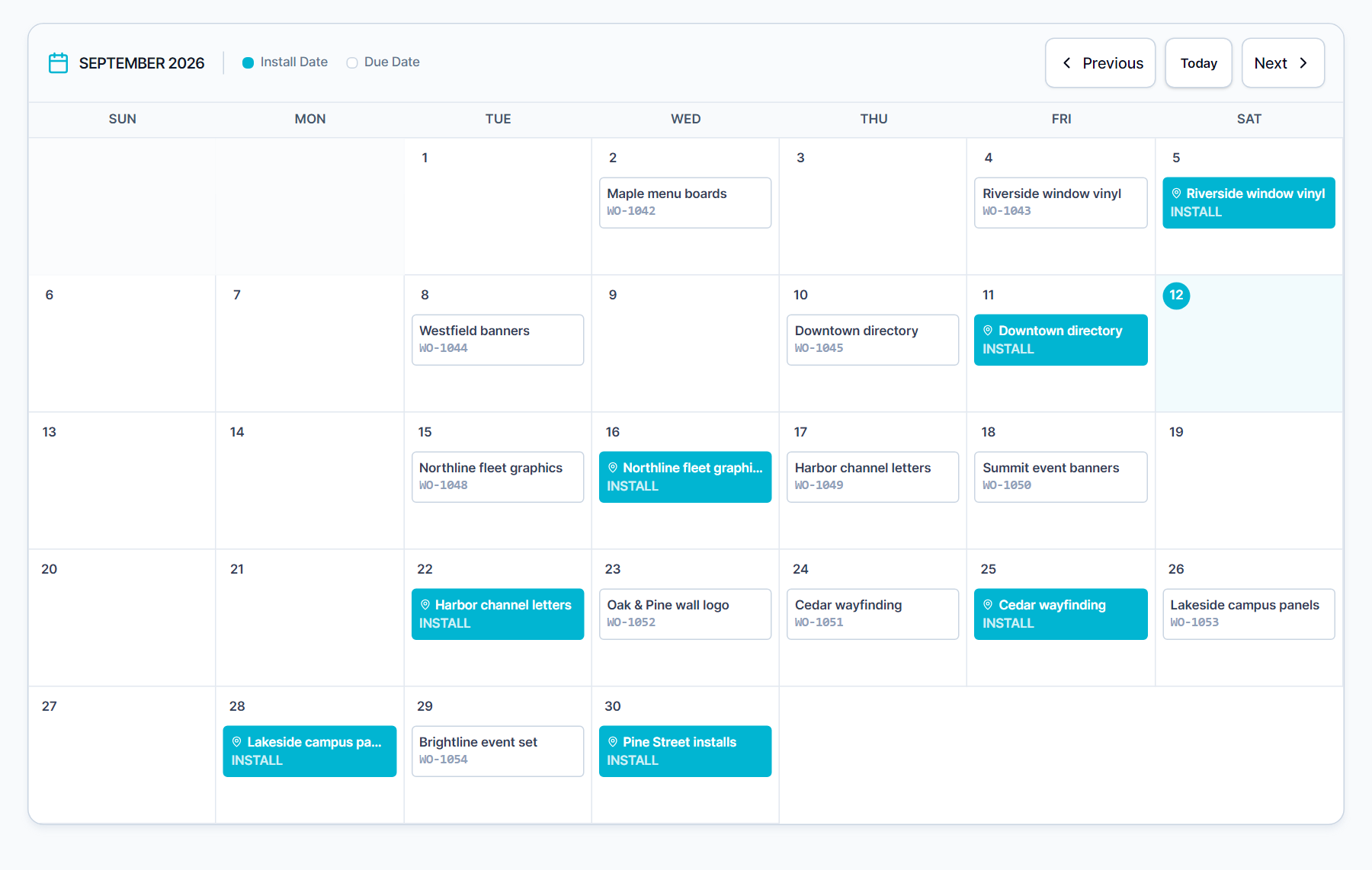
Team Scheduling & Business Calendar — Meet SIGNEXA platform interface

Never Miss a Deadline or Double-Book Again

Scheduling conflicts waste time and damage client relationships. Meet SIGNEXA's Calendar module unifies your production schedule, client appointments, and team availability in one shared view. Every calendar item carries full context — who, what, why, and what's at stake — so nothing slips through.

Unified Team Calendar

One calendar for production deadlines, client appointments, and team availability — shared and always in sync.

Job & CRM Integration

Calendar events link directly to job tickets and CRM contacts so full context is one click away.

Client Booking Portal

Share a booking link for consultations, proofing sessions, or installs — bookings write directly to your calendar.

Production Planning Made Visual

Map your production load across the week in a timeline view. Spot capacity gaps before they hurt turnaround commitments. Drag-and-drop to reschedule. Set production deadline reminders that alert the team and auto-update the client portal status — all from one calendar.

Production scheduling and team calendar management

Self-Service Client Booking

Let clients book consultations, site surveys, or pickup appointments through a branded scheduling page — no email back-and-forth. Confirmed bookings sync directly to your team calendar, trigger a confirmation sequence in email automations, and create a CRM event automatically.

Client self-service appointment booking portal

Frequently Asked Questions

Everything you need to know about Team Scheduling & Business Calendar.

Does the calendar sync with Google Calendar or Outlook?
Yes. Two-way sync is available with both Google Calendar and Microsoft Outlook. Team members can use whichever calendar app they prefer on their phone or desktop — events created in Meet SIGNEXA appear in their personal calendar automatically, and vice versa.
Can clients reschedule their appointment online without calling?
Yes. Every booking confirmation includes a reschedule link. Clients click to view available slots, pick a new time, and the calendar updates automatically. Your team gets notified of the change without needing to handle it manually.
Can I set recurring events for production planning cycles?
Yes. Recurring events with daily, weekly, bi-weekly, or monthly intervals support standing production planning meetings, recurring maintenance contracts, and regular client check-ins. Edit one occurrence or all future occurrences when schedules change.
How does the calendar connect to installation scheduling?
Installation jobs from the Installations module appear directly on the team calendar. Crew assignments, weather risk flags, and vehicle availability all show on the calendar view. This gives dispatch a single screen to coordinate install dates without cross-referencing a separate tool.
Can I block off production time and set capacity limits?
Yes. Block time ranges as production-only, preventing sales from booking client calls during critical production windows. Set daily appointment capacity limits so your booking portal never overbooks your team. Buffers between appointments can be configured to allow travel time between client site visits.
How does the client booking portal work for a sign shop?
Share a branded booking page URL for consultations, site surveys, measurement visits, or installation appointments. Clients see your available slots, pick a time, and submit their contact information. The booking creates a CRM lead, fires a confirmation email sequence, and adds the appointment to your calendar — all automatically.

Ready to Transform Your Workflow?

Join thousands of shops scaling their operations with Meet SIGNEXA. No credit card required.